
Appearance
Inventory
Inventory turns the orders Ordara already parsed into a stock and profit view: what you bought, what arrived, what you still hold, what you sold it for, and what you made.
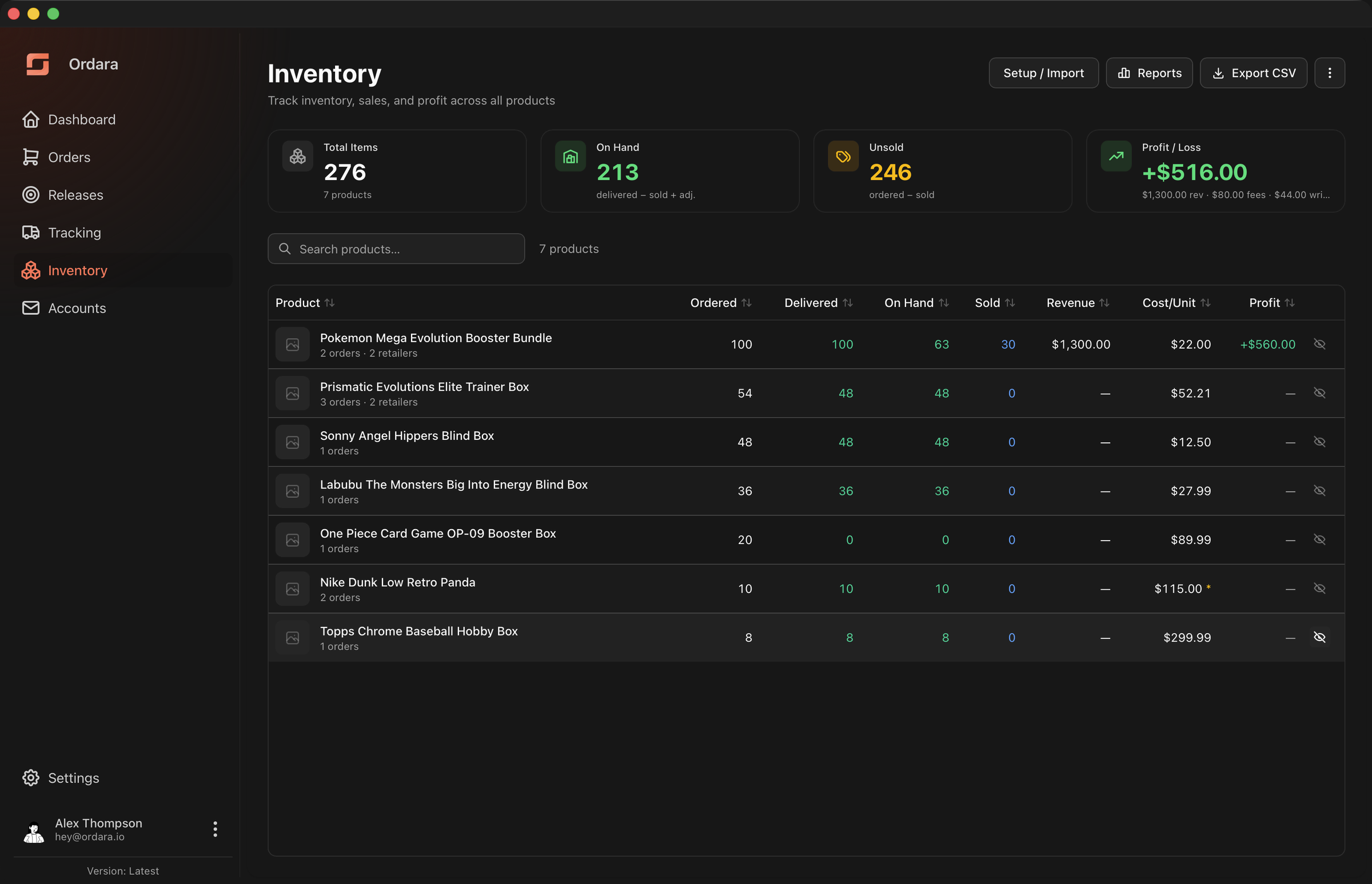
There is no separate product catalog to build and no opening stock to key in. The order lines Ordara parsed from your email are grouped into products, and every count and dollar figure is derived from those groups plus what you record. Recording sales is the main ongoing job; keeping the figures accurate also means the occasional adjustment, cost correction, review decision, or grouping fix.
How it fits together
- Products group order line items that are the same physical thing, even when retailers name them differently ("Mega Evolution Booster Bundle" and "Pokemon Mega Evolution Bundle").
- Sales are entries you record when you sell units. Ordara cannot detect these on its own.
- Adjustments record physical reality that your paperwork missed — damage, loss, personal use.
Counts are never stored as editable numbers; they are recomputed from those three inputs every time. See How the Math Works. For profit over a chosen period rather than per product, see Profit & Loss Reports.
Setting up
The first time you open Inventory, you choose how to start.
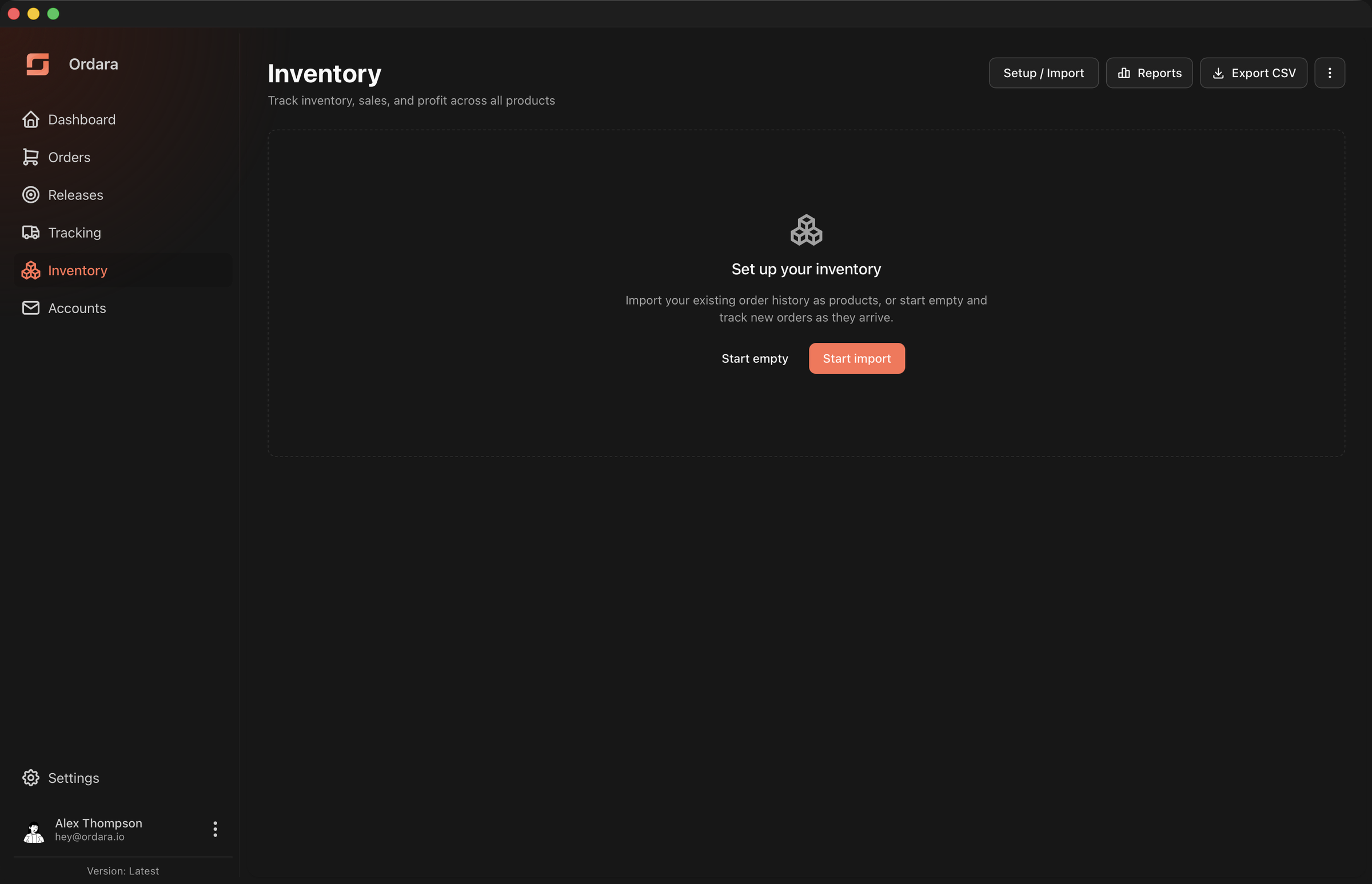
- Start import — review your existing order history and pick which products to bring in.
- Start empty — skip your history entirely and let new orders build your inventory from here on.
Either way, new orders are added to inventory automatically from that point forward. Until you choose one, Ordara adds nothing.
This choice is not final. Reopening Setup / Import from the Inventory header later still offers your full order history, even if you start empty now — see Re-running setup below.
Which should you pick?
Choose Start import if you already hold stock you bought through a tracked retailer. Choose Start empty if you are starting fresh, or if your older orders were personal purchases you do not want mixed into your numbers.
The setup page
This is where Start import takes you.
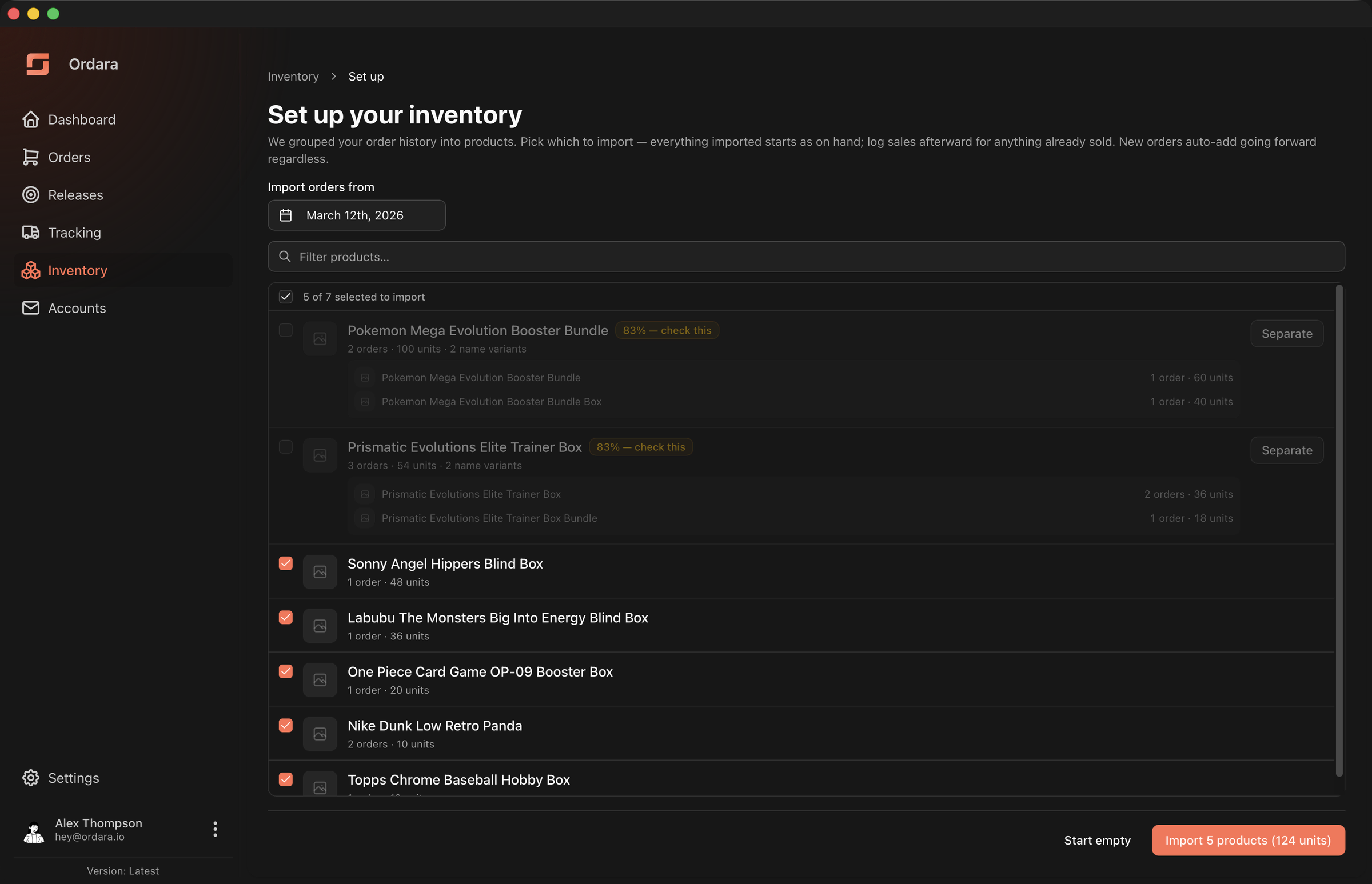
Ordara groups your order history into proposed products and lists them for you to approve.
Import orders from sets how far back to look. Orders before this date are ignored. This is the easiest way to leave behind the era of your order history you no longer physically have — a date a few months back is usually a better starting point than everything you have ever bought.
Each row is one proposed product: its thumbnail, the name Ordara chose, and how many orders and units it covers. Click a row to include or exclude it; the header checkbox toggles everything currently visible, and the filter box filters the list. The counter reads "N of M selected to import".
Rows that Ordara is less confident about are flagged with a percentage badge — the exact confidence thresholds are in Accuracy & Limitations. When a flagged row groups more than one raw name together, the name variants are shown beneath it automatically — no need to expand anything. If the grouping is wrong, click Separate to break the group into one product per name variant.
Flagged rows do not start selected
Clean groupings are checked for you; anything with a confidence badge starts unchecked, so a doubtful grouping is never imported by default — blending two SKUs into one cost basis is hard to undo. Tick the badged rows you agree with, or use the header checkbox to take everything.
If new orders arrive while you are still reviewing this page, Ordara will not import against the older picture. It says the preview is out of date and reloads it, so nothing you never looked at gets swept past on a stale list. Re-check your selection and import again.
Everything you import starts as on hand
The import has no concept of "already sold" — imported products begin with their full delivered quantity on hand. If you have already sold some of it, record those sales afterward from the product page. See Managing Inventory.
After setup
New orders join your inventory automatically as they are parsed:
- A confident name match attaches to the existing product silently.
- A plausible but uncertain match waits in Needs review, surfaced as a banner on the Inventory page.
- Anything unlike your existing products becomes a new product.
The thresholds behind those three outcomes are documented in Accuracy & Limitations.
Re-running setup
Setup / Import in the Inventory header reopens the setup page at any time. It is safe to re-run: order lines already in inventory are never offered twice, so nothing is duplicated.
Use it to pull in an older date range you skipped the first time, or to import your history after choosing Start empty — the orders are still there waiting whenever you change your mind.
Order lines you passed over are remembered by name, not just by position. If a parser fix later changes what a product is called, Ordara reconsiders that line automatically rather than leaving it skipped forever.
Starting over
The ⋮ menu in the Inventory header has Reset inventory. It deletes every product grouping, sale, adjustment, and override, returning you to the setup choice above.
Reset cannot be undone
Your sales and adjustments are not recoverable — they exist only in inventory. Your parsed orders are never touched, so a reset costs you your inventory work, not your order history. Export a CSV first if there is anything worth keeping.